I need to confess something that might get me kicked out of certain design circles.
Last week, I opened Figma. I stared at a blank frame. And for the first time in fifteen years of designing digital products, I didn't know what to put there.
Not because I lacked ideas. But because I finally realized something uncomfortable: the way we've been designing interfaces for the past decade is about to become irrelevant.
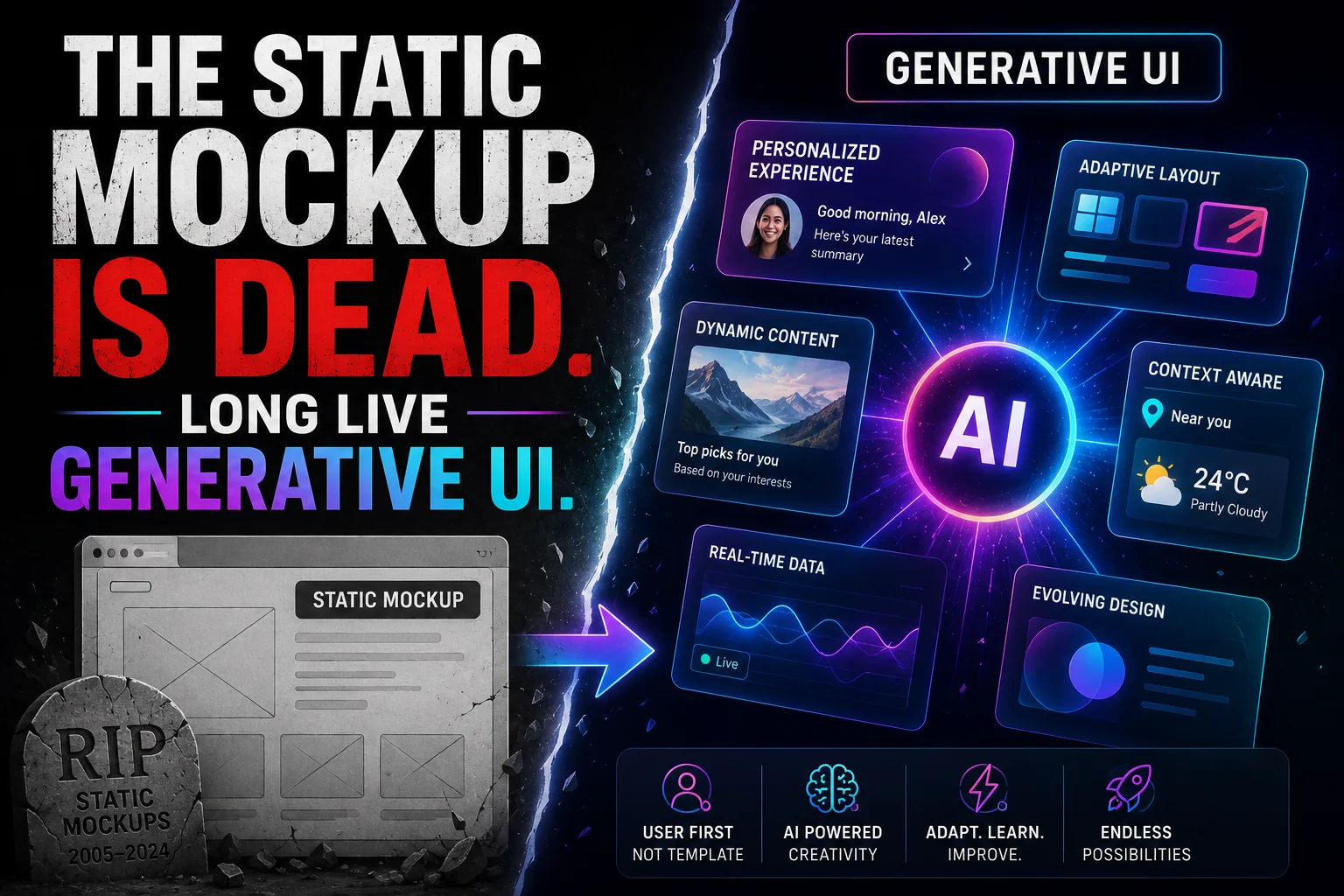
I'm talking about the death of the static mockup. The death of "design this screen, then this screen, then link them together." The death of assuming that every user should see the same layout, the same buttons, the same journey.
What's replacing it? Something called Generative UI – or GenUI, if you want to sound like you're at a conference in San Francisco right now.
Here's what you need to know. Here's why it matters. And here's why your design career depends on understanding it before 2027.
What the Hell is Generative UI? (And Why Should You Care?)
Let me start with a definition that won't put you to sleep.
Generative UI is when the interface builds itself – in real time – based on who you are, what you're doing, and what you need right now.
Two different people opening the same app at the same time might see completely different layouts. Different buttons. Different colors. Different everything.
This isn't science fiction. It's already happening.
If you've used Google Stitch – Google's experimental AI design tool – you've touched the edge of this. You type "make me a profile page for a Formula One driver with pastel red as the primary color," and sixty seconds later, Stitch hands you a complete, editable, Figma-ready design.
If you've played with Figma Make, you've seen AI generate components on the fly based on your prompts.
But those are just the baby steps. The "hello world" of GenUI.
The real shift is happening underneath all of this. And it's bigger than most designers realize.
The 1976 Problem: Why Static Screens Stopped Making Sense
Here's a weird historical fact for you.
The graphical user interface – windows, icons, menus, pointing – was invented at Xerox PARC in 1973. The first commercial GUI computer – the Xerox Star – launched in 1981.
That means we've been designing screens basically the same way for over fifty years.
Think about that. Fifty years of frames. Fifty years of static layouts. Fifty years of assuming that a button lives in one place and does one thing.
Meanwhile, everything else in technology has evolved beyond recognition. The internet happened. Mobile happened. Cloud happened. AI happened.
But the humble screen? Still a rectangle. Still static. Still expecting the user to adapt to it, rather than the other way around.
1976 was fifty years ago. It's time for a change.
How GenUI Actually Works (Without the Jargon)
I spent a weekend digging through the technical documentation from OpenTiny's GenUI SDK and Google's internal research. Here's what I learned about how this stuff actually works under the hood.
Step One: Intent, Not Clicks
Traditional UI works on clicks. You tap a button, something happens. Linear. Predictable.
GenUI works on intent. The AI tries to figure out what you actually want to accomplish – not just what you clicked.
Did you open the hotel app because you're a business traveler who needs Wi-Fi and an expense receipt? Or because you're on vacation with kids who want the pool and connecting rooms? The AI infers this from context – your location, your booking history, the time of day, your device.
Then it builds the interface accordingly.
Step Two: Structured Output from the LLM
Here's the technical magic.
Large language models don't just spit out text anymore. They can output structured JSON that describes exactly what the interface should look like.
Think of it as a recipe. The JSON says: "Draw a card. Inside the card, put an image on the left. Next to the image, put a title in 16pt font. Under the title, put two buttons side by side."
The front-end framework (React, Vue, Flutter, whatever) reads that JSON like a set of instructions and renders the actual pixels on screen.
Step Three: Streaming, Not Waiting
The old way: wait for the AI to finish thinking, then render everything at once.
The new way: streaming incremental rendering. The AI starts outputting the JSON, and the interface starts appearing piece by piece – almost like watching a designer work in real time.
A skeleton frame appears first. Then the header loads. Then the image fills in. Then the buttons appear. The user never waits more than a few hundred milliseconds before seeing something.
Step Four: Brand Guardrails
This is the part that keeps enterprise designers from having a heart attack.
GenUI doesn't give the AI unlimited creative freedom. The system is pre-loaded with approved components – your brand's button styles, your color palette, your typography scale, your layout grid.
The AI doesn't invent new components. It orchestrates existing ones based on the user's intent.
Think of it like a chef who can only work with ingredients in the pantry. The chef can combine them in endless ways, but they're all approved ingredients. No rogue cilantro sneaking into the dessert.
Real Examples: Where GenUI is Already Working
Let me ground this in actual use cases, not just theory.
Hotel Booking: The Same Card, Two Different Lives
The hospitality industry is surprisingly ahead of the curve on this. Probably because the use case is so obvious.
Imagine a hotel booking app. A traditional app shows every user the same room card: same photo, same list of amenities, same buttons.
With GenUI, that single card component generates different layouts for different contexts:
The business traveler sees:
-
A photo of the workspace desk as the primary image
-
A "High-Speed Wi-Fi Certified" badge
-
A "One-Click Expense Receipt" button
The family on vacation sees:
Same backend. Same component library. Completely different user experience – optimized for what that person actually needs.
E-commerce: Dynamic Product Discovery
A fashion app built on GenUI doesn't show every user the same homepage hero image.
The first-time visitor sees a broad "Shop by Category" grid to help them navigate.
The returning customer who always buys dresses? They see a "New Dresses Just For You" section above the fold.
The user who just spent twenty minutes browsing running shoes? They see a clearance section for athletic wear.
This isn't "personalization" in the old sense of swapping out a few recommendation widgets. This is the entire interface reconfiguring itself for each user, in real time.
Internal Tools: The Death of "Where Do I Click?"
Here's a use case nobody talks about enough: employee-facing software.
Most internal tools are a nightmare of generic menus and search-every-time workflows. A customer support agent spends half their day clicking between tabs to find information that should be obvious.
With GenUI, a support tool could:
-
Show the ticket resolution form front-and-center for a ticket that's open
-
Show the analytics dashboard for a manager
-
Show the training module for a new hire who hasn't completed onboarding
The interface adapts to the role and the task simultaneously.
Why This Kills the Static Mockup
Okay, let me get to the provocative part.
Traditional design workflows are built around screens. You design the login screen. Then the dashboard screen. Then the settings screen. You link them together with arrows in Figma or Sketch or whatever tool you're using.
This assumes that:
-
The screens exist in a fixed order
-
Every user sees the same screens
-
Every screen has a predetermined layout
GenUI invalidates all three assumptions.
In a Generative UI world, screens are ephemeral. They're assembled on demand and discarded when the task is complete. There's no "login screen" designed three months ago – there's a login component that gets rendered when the system detects that the user isn't authenticated.
The design artifact shifts from screens to systems.
You don't design the page. You design the rules that generate the page.
You don't specify that the button is blue and lives in the top-right corner. You specify that buttons in the "primary action" category use the brand's primary color token and appear in the action bar – but the AI decides which button qualifies as "primary" based on the user's intent.
What Happens to Designers? (Spoiler: We Don't Get Fired)
Whenever I talk about GenUI, someone inevitably asks: "So AI is going to replace designers now?"
No. But the job is changing. Rapidly.
Here's what designers will actually do in a GenUI world.
1. Define Constraints, Not Pixels
Your job shifts from "making every decision" to "defining the boundaries within which the AI can make decisions."
What are the approved colors? What's the typography scale? What's the spacing grid? Which components are available for the AI to assemble?
You're no longer a pixel-pusher. You're a system architect who creates the Lego pieces that the AI snaps together.
2. Write Prompts (Yes, Really)
Prompt engineering isn't just for copywriters anymore.
Designers will need to write and optimize the prompts that tell the GenUI system what to generate. This means understanding how LLMs interpret design language – and how to get consistent, on-brand outputs.
One bad prompt can generate fifty bad interfaces. One great prompt can generate five hundred good ones. Your leverage increases dramatically.
3. Handle the Edge Cases
AI is great at the 80%. It's terrible at the weird 20% – the accessibility edge case, the unusual device size, the bizarre user flow that nobody anticipated.
Designers will catch those exceptions. You'll inspect what the AI generated, identify where it failed, and either adjust the prompt or manually override the output.
Think of yourself as a quality guardian and a trainer for the generative system. Every manual override becomes training data for the next generation of outputs.
4. Focus on User Research and Empathy
Here's the irony.
As AI takes over the mechanical work of layout and component assembly, the human parts of design become more valuable, not less.
Understanding user needs. Building empathy. Testing whether the generated interfaces actually solve real problems. Advocating for accessibility and ethical design.
The AI doesn't know if the interface it generated makes people feel anxious. It doesn't know if the copy is condescending. It doesn't know if the layout accidentally excludes users with certain motor disabilities.
You do.
That's your new superpower.
The Technical Reality: Where GenUI Still Sucks
I'm not going to sell you a utopian vision without acknowledging the problems.
Because right now? GenUI has some real issues.
Problem 1: Unstable Outputs
LLMs are probabilistic. They don't always produce the same JSON for the same prompt. Sometimes the interface renders perfectly. Sometimes it "draws" components in the wrong order. Sometimes it completely hallucinates a component that doesn't exist.
This unpredictability is a nightmare for production systems that need reliability.
The current solution? Buffer zones that intercept malformed JSON, validation layers that check outputs against schemas, and fallback UIs when generation fails.
But these are band-aids. The underlying instability is a fundamental LLM limitation.
Problem 2: Generation Speed
Real-time generation means low latency. Low latency means small models. Small models mean less capability.
It's a classic trade-off. You can have fast, dumb generation – or slow, smart generation. Not both, at least not yet.
Streaming helps mask the latency, but users still notice when the interface takes two seconds to "grow" onto their screen.
Problem 3: Token Costs are Real
Every generation costs tokens. Every token costs money. At scale, GenUI could become significantly more expensive than traditional static UIs.
One team mentioned that their system prompts – the instructions telling the LLM how to generate the UI – were consuming so many tokens that they had to aggressively optimize and summarize conversation history just to keep costs reasonable.
This isn't a deal-breaker for high-value applications (enterprise software, luxury hospitality, etc.). But for free consumer apps? The math gets tricky.
Problem 4: Standardization Wars
Multiple frameworks are emerging – a2ui, cosui, agui, GenUI SDK – and they don't speak the same language.
One framework's JSON output won't work with another framework's renderer. This fragmentation makes it hard to build portable, future-proof GenUI systems.
The industry needs a standard. It doesn't have one yet.
How to Start Preparing for GenUI Today
You don't need to wait for perfection. Here's how to start building GenUI muscles right now.
For Designers:
Learn the tools. Get access to Google Stitch (it's free). Play with Figma Make. Generate fifty interfaces and see what works and what doesn't.
Start thinking in components. Can every piece of your current design system be expressed as a standalone, reusable module? If not, refactor. GenUI requires clean component boundaries.
Document your constraints. What are the actual rules that govern your brand's visual language? Write them down as clearly as possible. The AI needs to read them.
Collaborate with engineers. GenUI blurs the line between design and code. You need to understand what's possible – and your engineers need to understand what you're trying to achieve.
For Engineers:
Learn prompt engineering. How do you get an LLM to output valid, consistent JSON for UI generation? This is now a core skill.
Understand streaming. Incremental rendering is non-negotiable for good GenUI performance. Learn how to stream and diff JSON patches.
Build a component registry. Create a system where the AI can discover and reference approved components by ID, not by guessing.
For Product Leaders:
Identify the right use case. GenUI isn't for everything. Start with high-variability, high-context applications where personalization delivers clear ROI. Think travel, e-commerce, enterprise tools. Don't try to GenUI your static marketing site.
Invest in infrastructure. Your existing front-end stack probably isn't ready. You'll need LLM APIs, JSON rendering engines, component registries, and fallback systems.
Plan for the transition. You can't flip a switch and GenUI everything overnight. Run parallel systems. A/B test aggressively. Roll out gradually.
The Bottom Line (Human to Human)
Here's what I genuinely believe after spending way too much time reading technical documentation and playing with half-baked prototypes.
Generative UI is not a fad. It's not "AI hype." It's the logical conclusion of fifty years of static screens finally meeting fifty years of computing progress.
The interface that adapts to you – rather than forcing you to adapt to it – is inevitable. The only question is how quickly it arrives, and who builds it well.
For designers, this is either terrifying or exhilarating.
Terrifying, because the skills you spent years perfecting (pixel-perfect mockups, meticulous layer organization, beautiful static compositions) become less valuable.
Exhilarating, because you get to work on something genuinely new. You get to define what design means in a world where screens build themselves.
I choose exhilarating.
The static mockup had a good run. Fifty years is a long time.
But it's time to let go.
What about you? Have you tried Google Stitch or Figma Make yet? Are you terrified of GenUI or excited about it? Drop a comment – I'm genuinely curious where other designers land on this.
Resources to Dive Deeper: